How do I create a custom menu?
With our custom menu's feature on our Gold plan, you can create menu's in any layout you like. You can drag & drop packages, categories, or items, to their desired place.
How do I create a new page#
You can open the CraftingStore dashboard, and go to [ Sidebar -> Webstore -> Plugin menu ]. Here you can see the existing pages, and create new ones. When opening, or creating a new page, you can simply drag & drop the packages and/or categories into their place.
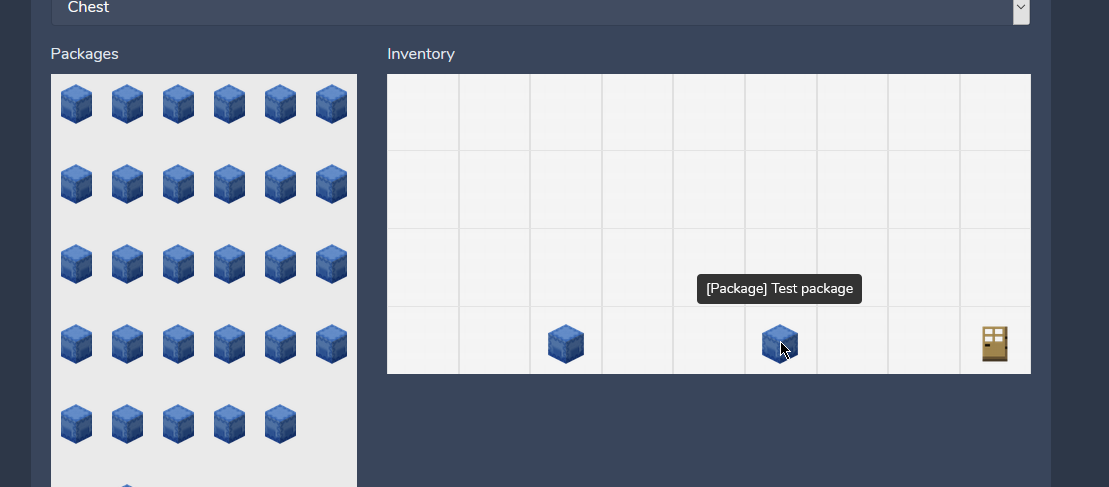
When you have multiple pages, you can link pages to each other by dragging a "menu" item to the inventory. With this, you can create complex menu's.
How do I enable the menu?#
By default, the normal menu is shown. To use your customized menu, you'll have to enable it. You can enable it by opening the CraftingStore dashboard, and then go to [ Sidebar -> Settings -> Plugin menu ]. Here you can set the "Enable Fully Customized Inventories" to "Yes" and select the "Start inventory".