How to set up PayPal (Legacy/Personal)
We offer PayPal as a direct gateway to our platform. Setting up PayPal on your CraftingStore account is easy to do in a few steps. The following guide works for (most) personal accounts, and Business accounts. This method will use PayPal's payment button system.
1. Go to CraftingStore, and select "payments" -> "gateways" from the sidebar.
2. Enter your PayPal mail and set "Enabled PayPal" to yes.
3. Make sure that you select "Legacy" as the type.
4. Make sure that your PayPal account has IPN (Instant payment notifications) enabled (see below)
5. Save the settings.
Setting up IPN (Instant payment notifications) at your PayPal account#
The screenshots below are taken from our account, PayPal has multiple designs, if yours looks different, things might be in other places, but the names should be pretty much the same.
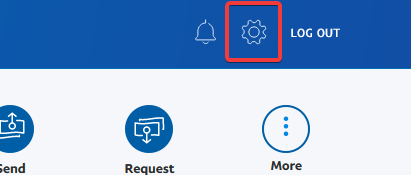
1. Log in to your PayPal account, and click the settings icon.*#
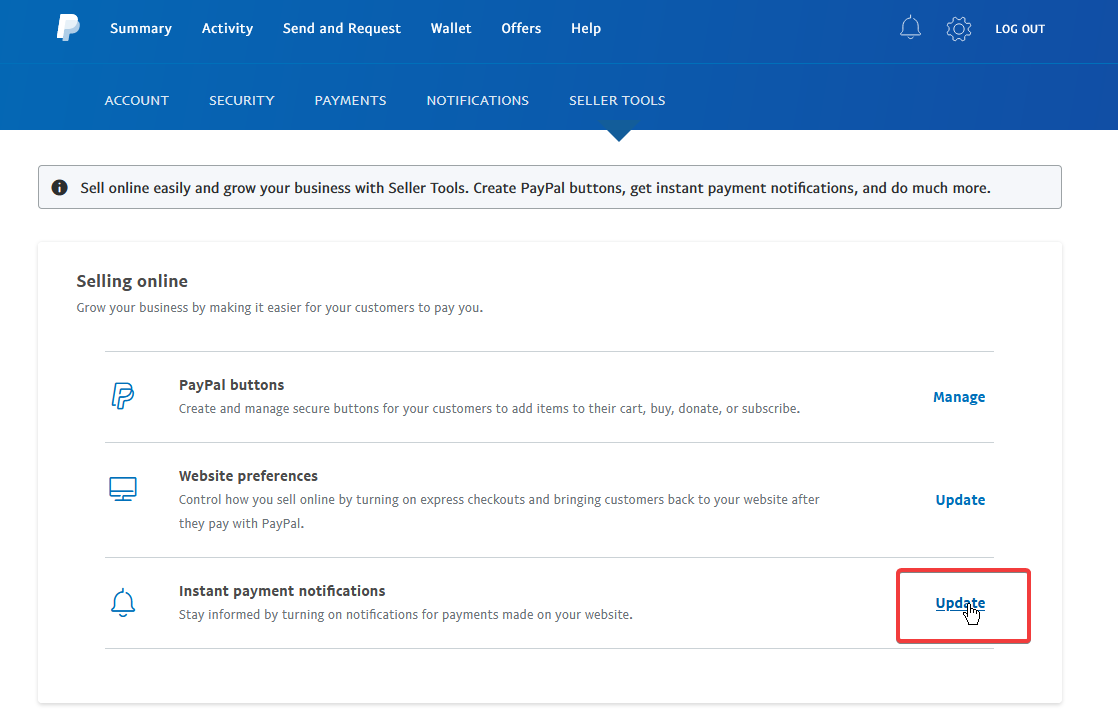
2. Click "Seller tools" in the navigation bar#

3. Click "update" behind "Instant payment notifications"#
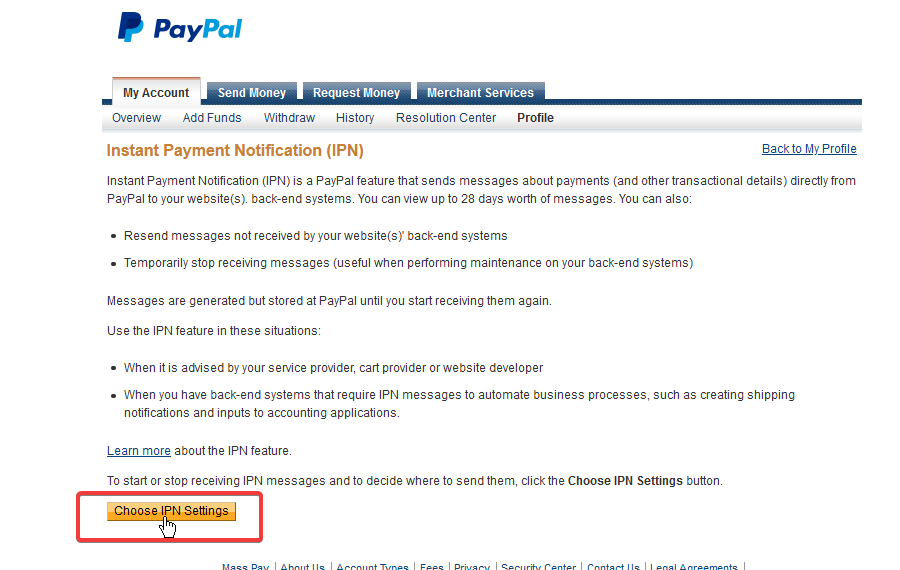
4. You will see the old interface now (PayPal does not yet have this in their new one for our account). Click the "choose IPN settings" option.#
5. Enter the information as described in the screenshot, and make sure to enable IPN.#
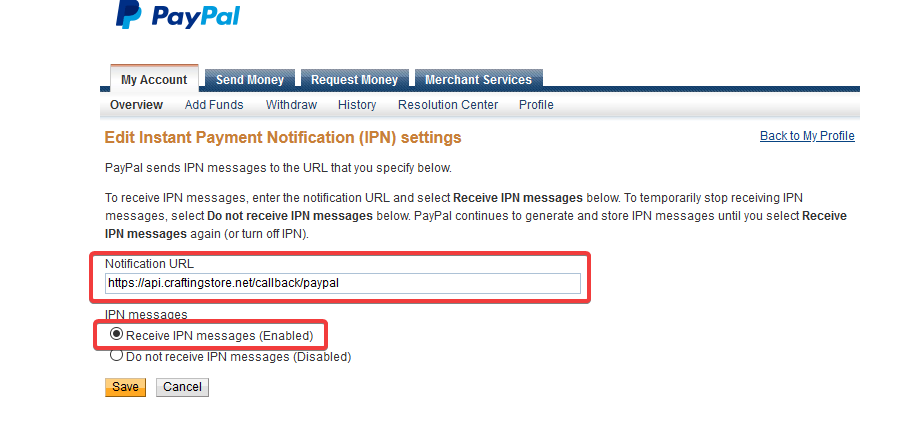
6. Click "save", IPN will now be enabled, and you should now get all future payments processed.#
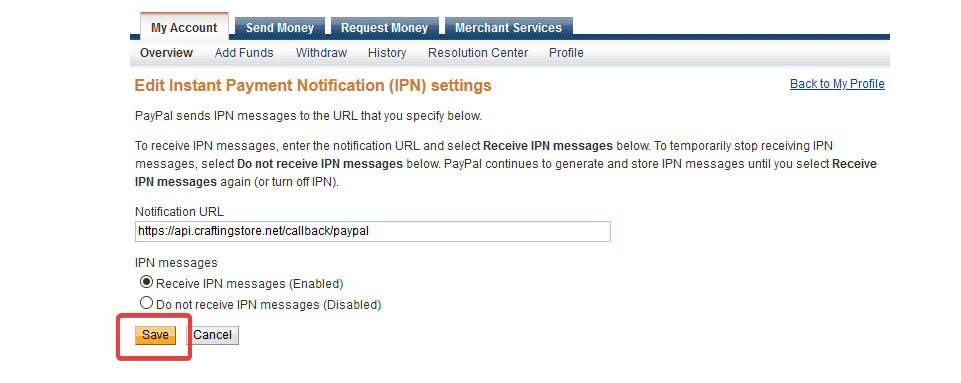
You can use the following IPN URL: https://api.craftingstore.net/callback/paypal
What is the difference between Legacy and Business?#
The Legacy integration uses PayPal payment buttons. It works on almost any account, including personal accounts. The Business integration uses the PayPal orders API that offers a lot of control and implements features like subscriptions.