Selling gift-cards on your store
With the silver plan and higher, you can use Gift-cards, and sell them on your store. You can configure packages to give the user a gift-card in their mail.
How to set this up?#
1. First, go to the package that you want to have this functionality and open the "Advanced" tab.
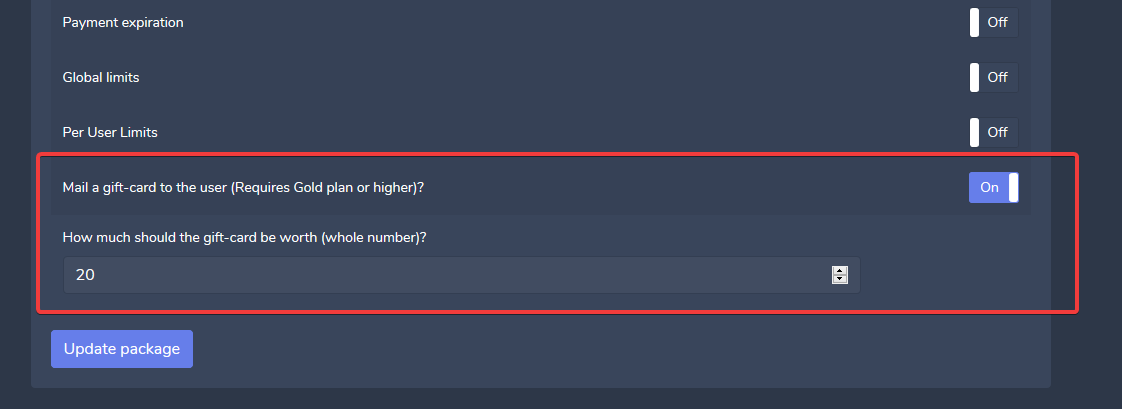
2. Look for the "Mail Gift-card option" and enable it. Then you can set the amount the card must be worth.
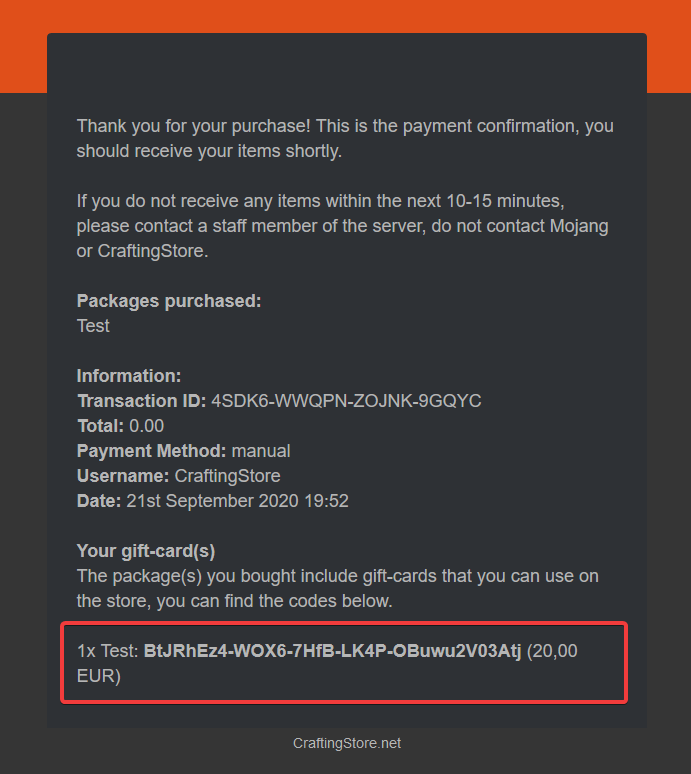
3. Now, when the user buys this package, they will get the code in their mail;
Common issues#
The user is not getting the receipt
The reason for this might be because you do not have the receipt enabled. You can enable it by going to [ Settings -> Webshop -> E-mail receipt to client ].
The gift-card is not shown in the mail while using a custom store template.
The template that you're using might not have the required section. This can happen when you're using custom templates. To resolve this issue, go to the template editor, open the email/receipt.html file, and add the following code:
I do not see the gift-cards in the mail, I'm on the free plan.
The feature uses gift-cards, those require silver and higher, no gift-cards will be generated on plans below the silver plan.