How can I center an image?
Images are aligned to the left by default, you can center them by adding some CSS style to the image. It does require very basic knowledge of HTML, because you'll need to find out where to add it.
1. The first step is to upload the image, just like you would do normally.
2. Now open the HTML view (the first icon (<>)) and find the image that you've just created. You'll have one for every image. If you have lots of text, it might be hard to find. We've selected it to show how it looks.
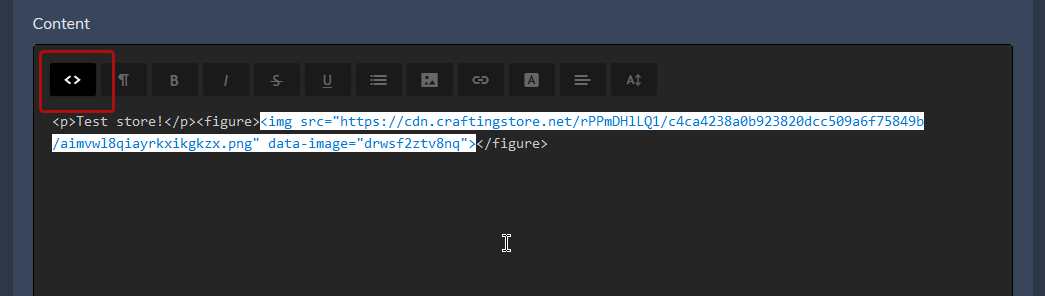
3. Add the following: style="display:block;margin:auto" directly after the <img, so you will get: <img style="display:block;margin:auto" src="image link" data-image="drwsf2ztv8nq">
4. Save the page, now it will show the image centered.